

Best Easy-to-Use TV Remote for Seniors
As an Amazon Associate, I earn from qualifying purchase
Ever felt annoyed with a TV remote that’s like a tricky puzzle? You know, the ones with tiny buttons that need a magnifying glass? If you’re nodding, you’re not alone. There’s something new I found that can be a big help for seniors, especially those with memory problems or trouble seeing clearly. Imagine a TV remote where the buttons are big and simple, making watching TV super easy. Stick around, and you’ll hear more about this easy-to-use gadget that might be just what you need.
Here Are the Best Easy-To-Use TV Remote For Seniors [Simplifies TV Watching For Those With Memory, or Vision Problems]
1. EZClicker Samsung TV Remote
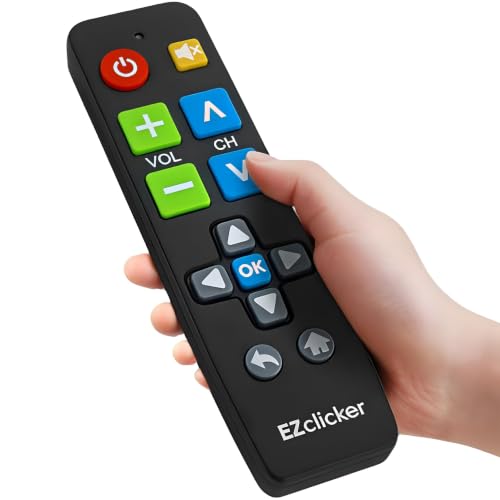
I like how the EZClicker Samsung TV Remote keeps things simple for older adults who find modern TV remotes confusing. It has just 13 large, clearly marked buttons, making it easier to find the right control without struggling with tiny labels.
Another helpful feature is its bright color, which can make the remote easier to spot between couch cushions or under furniture. It comes pre-programmed for Samsung TVs, so you don’t need to deal with complicated setup.
However, it works only with Samsung TVs and doesn’t control cable boxes or streaming devices. It also lacks a number pad, voice commands, and a pause button. For a senior who wants basic TV controls, those limitations may be manageable.
Who Is This Product Best For?
This remote is best for seniors with vision or dexterity challenges, people with dementia who benefit from simpler controls, and caregivers looking for an easier way for an older adult to operate a Samsung TV.
Pros
- Large buttons with easy-to-read labels.
- Bright colors make it easier to find.
- Pre-programmed for Samsung TVs.
Cons
- Works only with Samsung TVs.
- No number pad, voice commands, or pause button.
- Cannot control cable boxes or streaming devices.
2. Flipper Big Button Universal TV Remote for Seniors
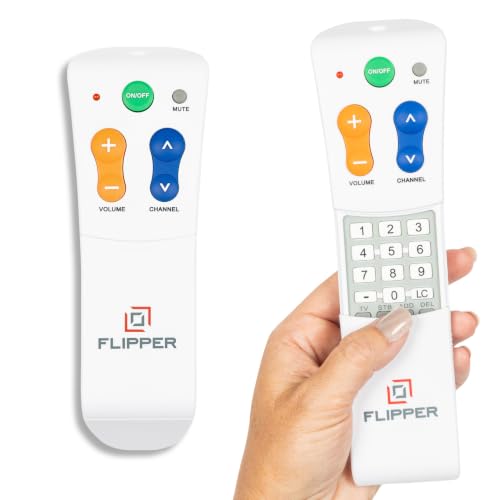
The Flipper Big Button Universal TV Remote for Seniors is great because it’s easy for you to use. This remote is perfect if you want something simple. You can easily set up your favorite channels, making it simple for you to watch what you like.
This remote works with a lot of devices like IR TVs, Cable/Set Top Boxes (STBs), and Soundbars. This means you can control many things with just one remote. It makes your entertainment setup easy.
The Flipper Big Button Remote is made with you in mind. It’s designed to be comfortable and is a clean, white color. This makes it look nice and is easy for you to see around your home. The design is thoughtful, which means it’s made to be easy for seniors who might find other remotes hard to use.
It’s not just for TVs – you can use it with Soundbars too. This is good if you have a fancy audio system. With this remote, you won’t need many remotes for different things. It’s all in one, making it easy for you to enjoy your entertainment without any fuss.
3. Jubilee TV Universal Remote Control
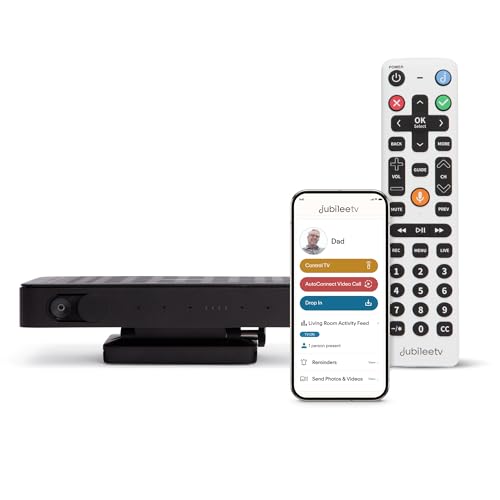
The Jubilee TV Universal Remote Control for Seniors really shines when it comes to helping you out. If you ever need assistance, a quick phone call is all it takes. Setting it up is super easy, thanks to the helpful guidance from their service representatives.
One big plus is how fast the remote responds, even beating out the Roku. You’ll love how it follows your commands quickly and accurately. This makes using it a breeze, especially for older folks who like things to happen right away when they’re flipping through channels or adjusting settings.
What makes it even better is the cool iPhone app that comes with the Jubilee TV Universal Remote Control. It’s not only easy to use but also packed with great features. If there’s a problem, you can troubleshoot it from your phone, no need for someone to come over. Plus, the app lets you keep an eye on who’s watching what on the TV.
This extra bit of control is handy, especially for families with many users and for caregivers like you who want to stay on top of what the seniors are up to with their TV.
4. SMATAR Big Button Universal Remote
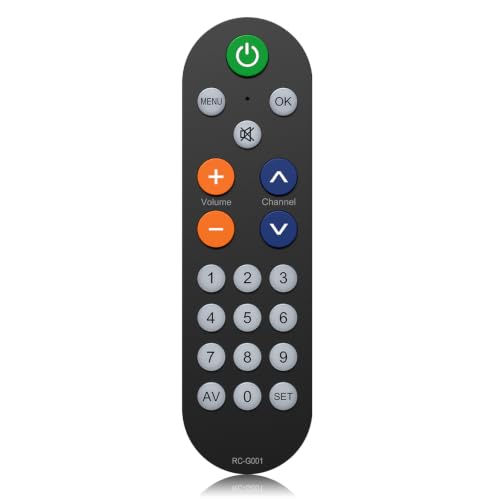
The SMATAR Big Button Universal Remote is designed for seniors who find standard TV remotes difficult to read or operate. Its large, high-contrast buttons make changing channels and adjusting volume easier, especially for older adults with arthritis or limited finger dexterity.
I like its simple setup, lightweight design, and curved shape, which should make it comfortable to hold. It works with several major TV brands, including Samsung, LG, Sony, and Vizio, and can support up to four devices.
However, its biggest limitation is the lack of directional navigation buttons and a number pad. You cannot use it to navigate smart TV menus or access streaming apps, so I would choose it only for basic channel and volume control.
Who Is This Product Best For?
This remote is best for seniors who primarily watch regular television and want a simpler way to change channels and adjust volume without dealing with small, crowded buttons.
Pros
- Large, high-contrast buttons that are easy to read.
- Lightweight, ergonomic design with simple pairing.
- Two-year warranty.
Cons
- No directional navigation or number pad.
- Limited to basic TV controls.
5. GE BigEZ OneTouch Universal Remote
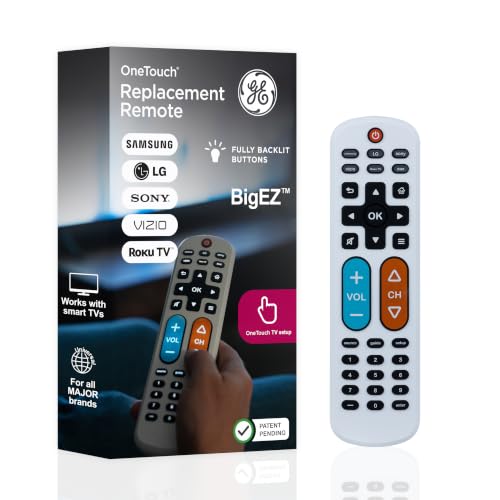

The GE BigEZ OneTouch Universal Remote is designed to make watching TV easier for seniors who struggle with small buttons or complicated controls. I like its large, fully backlit buttons, with blue volume controls and orange channel buttons that are easier to distinguish.
Setup is simple: press the button for your TV brand and the power button. It supports up to two devices and has a 30-foot infrared range, making everyday TV control more convenient.
However, compatibility is limited. It does not work with Roku Sticks, and some buyers report reliability issues and rapid battery drain. I would check your exact TV or streaming device before buying.
Who Is This Product Best For?
This remote is best for older adults with vision or dexterity challenges who want simpler TV controls, especially those with compatible Samsung, LG, Vizio, Sony, or Roku box setups.
Pros
- Large, fully backlit buttons.
- Simple one-touch setup for supported TVs.
- Color-coded volume and channel controls.
Cons
- Not compatible with Roku Sticks.
- Limited to two devices.
Buyer’s Guide: Choosing the Best Universal TV Remote for Seniors With Cognitive Issues
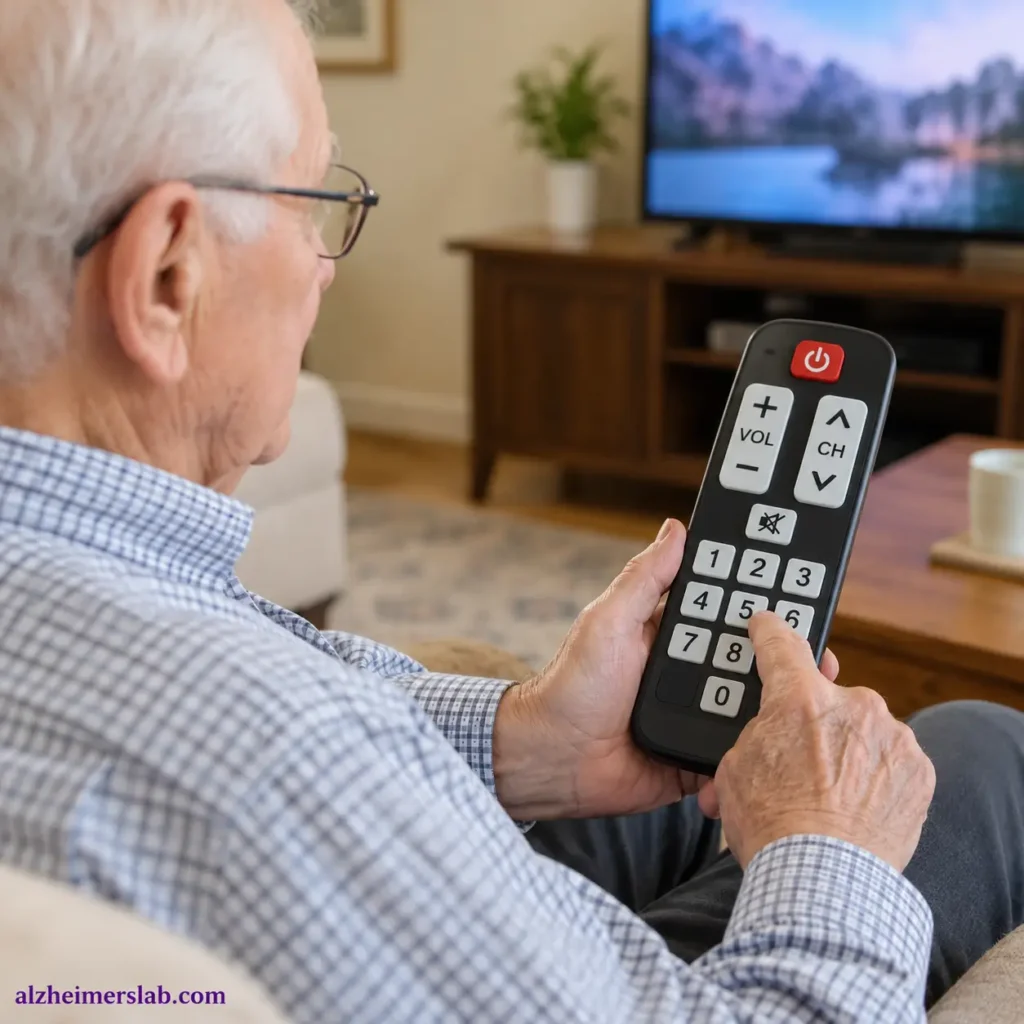
A television can be a source of comfort for an older adult, especially someone living with dementia, Alzheimer’s disease, or other cognitive difficulties. However, using a regular TV remote can become frustrating when there are too many buttons, confusing menus, or unfamiliar symbols.
I believe a simple TV remote can make a meaningful difference in everyday life. It allows your loved one to enjoy familiar programs with less confusion and reduces the need to ask for help repeatedly. In this guide, I’ll explain what to look for in a universal TV remote, how to use it safely, and how caregivers can choose one that suits an older adult’s abilities.
Why Choose a Specialized TV Remote for Seniors?
A standard TV remote is designed to offer many functions, including streaming apps, input selection, voice commands, and picture settings. Unfortunately, these features can make it difficult for someone with memory loss or cognitive impairment to find the basic controls.
A simplified remote usually has fewer buttons, larger labels, and a straightforward layout. Some models focus on only the essential functions, such as turning the television on and off, changing channels, and adjusting the volume.
For someone with dementia, fewer choices can mean less confusion. Instead of searching through several rows of buttons, your loved one can focus on the actions they use most often. However, remember that dementia affects people differently, so a remote that works well for one person may not work for another.
How to Use the Remote and Where to Keep It at Night
Before introducing a new remote, program it to work with the television and any compatible cable or satellite equipment. Test the essential buttons yourself, then show your loved one how to use them one at a time. For example, start with the power button and volume control before introducing channel changes.
Keep the remote in a familiar, easy-to-reach location, such as a small basket beside the favorite chair or on a bedside table. If your loved one watches television in bed, place it where they can reach it without stretching or leaning over the edge.
At night, I recommend returning the remote to the same location every evening. A consistent routine can make it easier to find the device the next morning. You can also use a brightly colored case or a simple label to make it more noticeable.
Avoid keeping the remote in a drawer or moving it between rooms unless necessary. If your loved one tends to misplace objects, consider a designated storage spot that is easy to see and remember.
How Can a Simplified TV Remote Help?
The main benefit is greater independence. Your loved one may be able to turn on a favorite program or adjust the volume without waiting for a caregiver. This can help preserve a sense of control over an ordinary daily activity.
A simplified remote can also reduce frustration. When an older adult presses the wrong button on a standard remote, they may accidentally change the input, open a streaming menu, or lose the channel they were watching. Returning to the original screen can be difficult if they cannot remember the steps.
With fewer controls, there are fewer opportunities for these problems. Nevertheless, a simple remote cannot prevent every difficulty. If your loved one has trouble recognizing buttons or understanding cause and effect, you may need to provide occasional assistance.
Familiar television programs can also provide entertainment and routine. However, caregivers should pay attention to how a person responds to television, since some programs, loud sounds, or confusing scenes may cause distress.
Will the Remote Look Suitable in an Elderly Hand?
Yes. Many simplified remotes have a practical design that can work well for older adults. However, appearance is only one part of the decision. The remote should feel comfortable to hold and be easy to operate without requiring precise finger movements.
Look for a lightweight model with a comfortable shape, well-spaced buttons, and a non-slip surface. Large, raised buttons can help someone who struggles with small controls or has difficulty seeing printed labels.
If your loved one has arthritis, weak grip strength, or limited finger movement, test how much pressure the buttons require. A remote with stiff buttons may be difficult to use even when the layout is simple.
I would also avoid choosing a remote solely because it has the largest buttons. A bulky device can be uncomfortable for someone with small hands or limited hand strength. The best choice is one your loved one can hold securely and operate with minimal effort.
What to Look for When Buying a Universal TV Remote
First, check compatibility. A universal remote must support your television brand and, if necessary, your cable box or other equipment. Some simplified remotes work with multiple devices, while others control only the television. Verify this before buying.
Next, prioritize the essential buttons. Large power, volume, and channel controls are useful for many seniors. If your loved one primarily watches cable television, direct channel buttons may be more helpful than complicated streaming controls.
Consider the button labels, too. High-contrast text and clearly differentiated buttons can help someone with reduced vision. Avoid remotes with crowded layouts, tiny labels, or controls that are difficult to distinguish.
Finally, consider programming and setup. Some universal remotes require entering a code or following several steps to connect with a television. If possible, choose a model that a caregiver can program once and leave ready to use.
A basic remote with fewer features may be a better choice than an advanced model with voice control, a touchscreen, or numerous shortcuts. The goal is not to provide more technology; it is to make television easier to operate.
Tips for Caregivers
Before buying a remote, observe how your loved one currently uses the television. Do they mainly adjust the volume, change channels, or turn the television on and off? Choose a device that supports these specific habits rather than paying for features they may never use.
Introduce the new remote when your loved one is calm and comfortable. Demonstrate one function at a time, using the same words and steps each time. If they become frustrated, pause and try again later rather than turning the activity into a test.
You can also remove or store the original remote once the new one is working reliably. This reduces the chance of confusion between two different layouts. Keep the original remote somewhere accessible to caregivers in case troubleshooting is necessary.
Check the batteries regularly and make sure the remote remains in its usual place. If your loved one repeatedly presses the wrong buttons, reassess the layout and simplify the television setup where possible.
Most importantly, avoid treating difficulty with a remote as stubbornness. Cognitive changes can affect memory, attention, and the ability to follow familiar steps. Your goal is to make the activity easier, not to expect your loved one to learn technology at the same pace as before.
My Quick Advice
If I were choosing a universal TV remote for a senior with cognitive issues, I would prioritize simplicity, compatibility, and comfort over extra features.
Start with a remote that has large, clearly labeled buttons for power, volume, and channels. Make sure it works with the existing television setup, and test it in your loved one’s hand before relying on it every day.
I would also consider the person’s stage of cognitive impairment. Someone with mild memory difficulties may manage a remote with several basic controls, while someone with more advanced dementia may benefit from a device with only a few essential buttons.
Finally, remember that a remote is just one part of a supportive environment. A familiar television routine, a consistent place to keep the remote, and patient assistance can be just as important as the device itself.
Choose the remote that helps your loved one enjoy television with the least confusion and frustration. That is a more useful measure of success than the number of features it offers.
